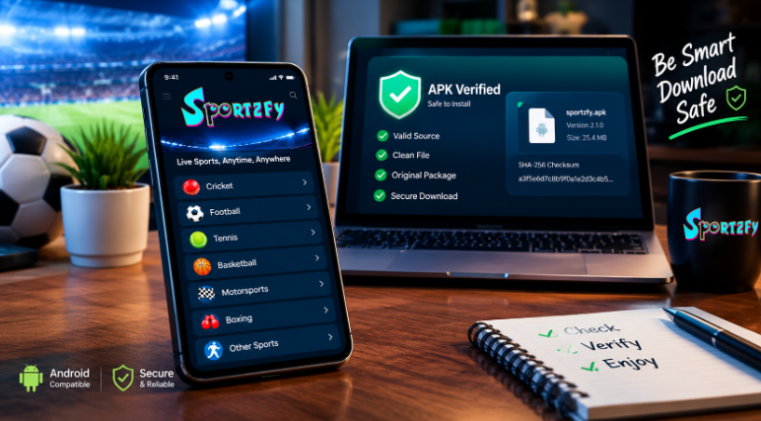
Searching for Sportzfy can lead to different websites offering application information, installation instructions, and Android APK downloads. For someone who simply wants to explore a sports application, deciding which information to trust can be more complicated than expected.
The challenge is not limited to one app. Popular Android applications are sometimes discussed on websites that are not operated by their original developers. Some pages provide useful documentation, while others may contain outdated details, misleading download buttons, or unsupported claims about security.
A sensible approach is to look beyond the name and logo. Before installing an application, users should understand where the file comes from, which devices it supports, and how to recognize information that deserves a closer look.
This guide explains how to evaluate Android application sources, what to check before downloading an APK, and why these simple precautions matter when researching sports streaming applications.
Why Does the Source of an Android Application Matter?
Android gives users several ways to obtain applications. Google Play is a familiar distribution channel, but some applications are also distributed through websites as APK files.
An APK is the package format used to install software on Android devices. Installing one manually is generally known as sideloading.
The process can be convenient, but it also places more responsibility on the user to evaluate the source.
Consider two websites offering an application with the same name. Both display similar screenshots and claim to provide the latest version. One may contain the expected installation package, while the other may offer an outdated or modified file.
The visual similarity between their pages does not establish that the files are identical.
This is why checking the download source matters. A trustworthy installation decision should be based on verifiable information rather than branding alone.
Five Things to Check Before Downloading an APK
You do not need to be a cybersecurity professional to perform several useful checks. A few minutes of investigation can help you identify obvious inconsistencies before installing software.
1. Check the Website Address Carefully
Start by examining the full domain in your browser’s address bar.
Look for unusual spelling, unexpected redirects, or a domain that resembles a familiar brand without establishing a clear connection to it.
A professional website design does not prove that the operator is associated with the application developer. Similarly, HTTPS encryption protects the connection but does not establish that a website or its downloads are trustworthy.
When researching Sportzfy, compare the website’s claims with its published documentation and any independently verifiable developer information.
Avoid assuming that every website using the same application name belongs to the same organization.
2. Compare Version Information
An application’s version number helps users understand which release they are examining.
Before downloading an APK, look for details such as:
- Application version and release date.
- Android compatibility requirements.
- Package name, where available.
- File size and published release notes.
- Information about changes from previous versions.
Inconsistencies do not automatically prove that a file is malicious. However, they are a reason to investigate further.
For example, if a page advertises a newer release but its documentation describes an older version, the information may be outdated.
Version numbers and file sizes are useful clues, but neither can independently establish authenticity.
3. Understand What a File Checksum Can Prove
A checksum is a value calculated from the contents of a file. SHA-256 is a commonly used cryptographic hash function.
If a software publisher provides a SHA-256 checksum for an APK, a user can calculate the hash of the downloaded file and compare the results.
A matching value indicates that the downloaded file matches the file represented by that reference checksum.
A mismatch indicates that the files differ and that the discrepancy should be investigated.
There is one important limitation: the reference checksum must itself come from a trustworthy source. A checksum published by an unverified download page does not independently prove that the file is safe.
Think of a checksum as a file-comparison tool, not a universal security certificate.
4. Review Installation Warnings and Permissions
Android may display warnings when an application is installed from outside an established app store.
Read these warnings carefully. Do not dismiss them simply because a website describes its APK as safe.
It is also worth examining the permissions an application requests.
An application should have a reasonable explanation for the access it requires. Unexpected requests for sensitive information or unrelated device capabilities deserve further investigation.
Permissions alone cannot establish whether an application is trustworthy, but they can help identify behavior that warrants caution.
If you cannot establish a reasonable level of confidence in the file or its source, the safest option is not to install it.
5. Look for Useful and Consistent Documentation
Reliable application documentation should answer practical questions.
Which operating systems are supported? How is the application installed? Where can users find version information? What limitations should they understand?
When different pages provide conflicting answers, avoid automatically trusting the page with the strongest marketing claims.
For example, an Android APK cannot be installed natively on an iPhone. A website suggesting otherwise should explain precisely what method it offers rather than presenting an Android installation package as an ordinary iOS application.
Clear documentation helps users distinguish confirmed capabilities from assumptions.
How Can You Evaluate an APK Download Page?
A useful way to assess a download page is to separate observable information from claims that require independent verification.
| What to Examine | What It Can Tell You | What It Cannot Prove |
| Website domain | Which domain you are visiting | That the website is operated by the original developer |
| Version number | Which release the page claims to offer | That the downloaded file matches that release |
| File size | Whether the file’s size is consistent with published details | That the file is authentic or harmless |
| SHA-256 checksum | Whether a file matches a reference checksum | That the reference file is safe |
| HTTPS connection | Whether the connection is encrypted | That the website or application is trustworthy |
| App permissions | What access the application requests | That the application contains no malicious behavior |
| Security scan | Whether a particular scanner detected known threats | That the file is guaranteed to be safe |
| Release documentation | What the publisher claims has changed | That every claim has been independently verified |
This distinction matters because online download pages often combine technical information with promotional language.
The most useful evidence is information that can be checked independently, not simply a statement that a product is official, verified, or completely safe.
What Should You Know About Sportzfy Before Installing It?
Sportzfy is associated with an Android-focused sports application and websites providing related information.
Its published materials discuss sports categories, device compatibility, and installation guidance. However, the precise features and availability users encounter can depend on the version and the source they are examining.
Before proceeding, consider the following questions.
Does the application support your device?
Check the current Android requirements rather than assuming compatibility based on another person’s experience. Android phones, television devices, and emulators can behave differently.
Is the installation file from a trustworthy source?
Review the domain, available documentation, and file information. Do not treat a matching name or logo as proof of authenticity.
Are the advertised features clearly explained?
Descriptions of live sports, video quality, and supported competitions should be evaluated carefully. The presence of a competition in promotional material does not guarantee that every event will be available.
Are the available broadcasts authorized?
Sports broadcasting rights differ between countries and competitions. An accessible stream is not necessarily an authorized one.
For readers researching the application, the Sportzfy APK website is a starting point for examining its published information and installation guidance. Users should still evaluate the source, claims, and available evidence before installing third-party software.
Why Accurate Application Information Matters
An application website influences how users understand the software they are considering.
When documentation clearly explains compatibility, installation requirements, and limitations, readers can make more informed decisions.
Inconsistent information creates the opposite effect.
Imagine a user who finds three different pages claiming to provide the same application. One advertises a particular file size, another lists a different version, and a third promises features that are not explained elsewhere.
Without reliable documentation, the user has little basis for deciding which claims to trust.
Application publishers can improve this experience by maintaining consistent version information, explaining supported devices, documenting important changes, and avoiding claims they cannot substantiate.
The same principle applies to security statements.
Words such as “verified,” “official,” and “virus-free” should be used carefully. Each implies a different level of assurance and should be supported by appropriate evidence.
A transparent explanation of what has actually been checked is more useful than a broad guarantee that cannot be independently confirmed.
Android APKs Versus Official App Stores
Both APK distribution and app-store installation can serve legitimate purposes, but the user experience differs.
| Consideration | Manual APK Installation | Official App Store |
| Installation method | Download and open an APK | Install through the store |
| Source verification | User must carefully assess the source | Store provides an established distribution channel |
| Version selection | Depends on the publisher and website | Depends on the store’s available release |
| Security checks | Depends on the source and device protections | May include store-level screening and ongoing protections |
| Compatibility | Must be checked against the application’s requirements | Store may indicate device compatibility |
| Updates | May require manual checking | May be managed through the store |
Neither approach eliminates every security risk.
Official app stores can contain problematic software, and manually distributed applications are not necessarily malicious. The difference is that sideloading generally requires additional attention to file authenticity and distribution.
Whenever a trusted, suitable app-store version is available, it may be the more convenient option. If manual installation is necessary, careful verification becomes especially important.
A Practical Checklist for Safer Downloads
Before installing Sportzfy or another Android application, use this checklist.
- Verify the domain: Make sure you understand which website you are visiting.
- Check the release details: Compare the version and compatibility information.
- Inspect the file: Review its name, size, and other available metadata.
- Use checksums appropriately: Compare a downloaded file against a trustworthy reference when one is available.
- Read security warnings: Investigate warnings instead of automatically dismissing them.
- Review permissions: Look for requests that do not make sense for the application’s stated purpose.
- Consider content rights: Check whether the available broadcasts are authorized for your location.
- Keep your device updated: Install supported operating system and security updates.
- Avoid suspicious modifications: Be cautious of repackaged applications promising unrealistic features.
- Stop when information is unclear: Do not install a file if its source or integrity cannot be reasonably established.
These precautions are not specific to one brand. They are useful whenever you obtain Android software outside a familiar distribution channel.
Frequently Asked Questions
What is Sportzfy?
Sportzfy is the name associated with an Android-focused sports application and related websites. Users should review current documentation to understand its advertised features, supported devices, and distribution method.
How can I find information about Sportzfy APK?
Look for application documentation that explains version information, Android compatibility, installation requirements, and available support resources. Evaluate the source rather than relying solely on a download button.
How can I tell whether an APK is authentic?
Examine the website domain, compare release information, and check a published checksum if a trustworthy reference is available. No single indicator guarantees authenticity, so evaluate the evidence together.
Is a matching SHA-256 checksum enough to prove an APK is safe?
No. A matching checksum shows that a file matches the reference file. It does not independently establish that the reference file is harmless or that its publisher is legitimate.
Can an Android APK be installed on an iPhone?
No. APK files are designed for Android and cannot be installed natively on iOS. iPhones and iPads require software compatible with Apple’s operating systems.
Why does Android show a warning when installing an APK?
Android may display warnings because the application comes from outside an established distribution channel or because its security protections have identified a potential concern. Read the specific warning and investigate before proceeding.
Are third-party APK websites always unsafe?
No. Some developers legitimately distribute software through their own websites. However, users should evaluate the source, file integrity, and security implications before installing an application manually.
What should I do if an APK requests unexpected permissions?
Avoid granting unnecessary access. Investigate why the permissions are requested, review the application’s documentation, and do not install it if the behavior or source remains suspicious.
Does HTTPS mean a download website is legitimate?
No. HTTPS encrypts the connection between your browser and the website. It does not establish that the website is operated by the original developer or that its downloads are safe.
What is the safest option if I cannot verify a download?
Do not install the file until you can establish reasonable confidence in its source and integrity. Consider a trusted distribution channel or another suitable application instead.
Final Thoughts
Finding an Android application online is straightforward. Determining whether a particular download is trustworthy requires more care.
Sportzfy-related searches illustrate why users should look beyond application names, logos, and promotional promises. Different websites may discuss the same software without necessarily sharing the same operator or distributing identical files.
Checking the source, comparing version information, understanding checksums, and reviewing security warnings can help users make better decisions.
These habits are useful for any Android application, especially when manual installation is involved.
Ultimately, a good download decision is based on verifiable information, realistic expectations, and an understanding of the risks. Taking a few minutes to evaluate those details is a sensible step before installing unfamiliar software.